

Understanding natural disasters
Tokyo Disaster Prevention Map ①
What is the Tokyo Disaster Prevention Map?
The purpose of the Tokyo Disaster Prevention Map is to show the locations and details of disaster prevention facilities (facilities available for use in the event of a disaster).
Facilities that are shown on the Tokyo Disaster Prevention Map (examples)
- Shelters (避難所)
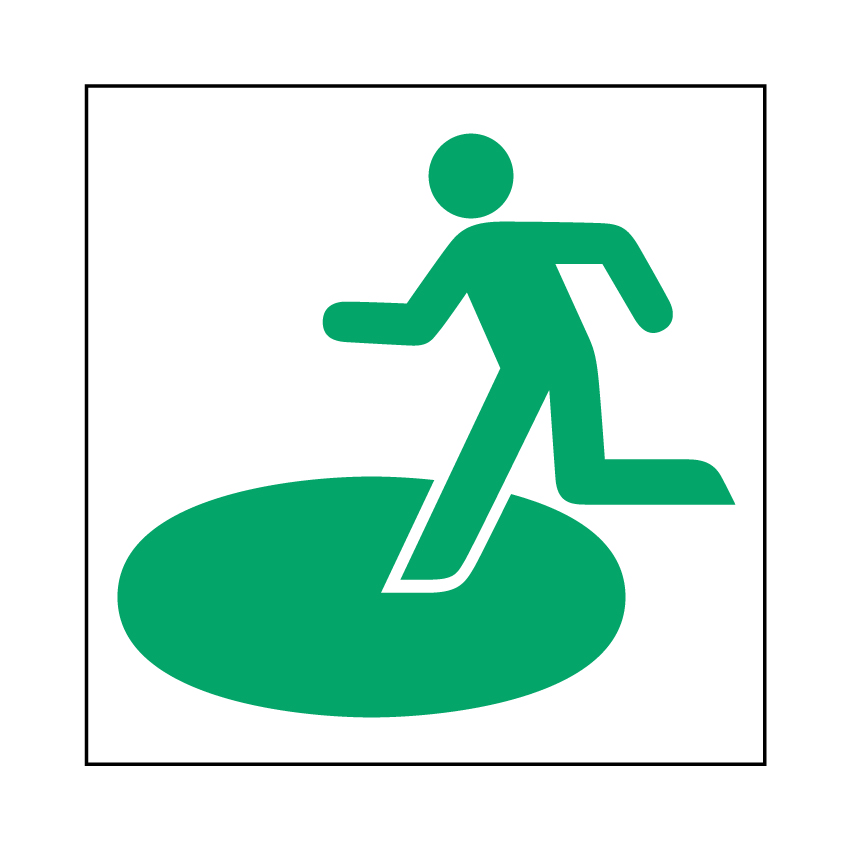
Places to which people can evacuate when it is dangerous or impossible for them to stay in their homes due to a disaster, such as schools and community centers. - Evacuation shelters (避難場所)
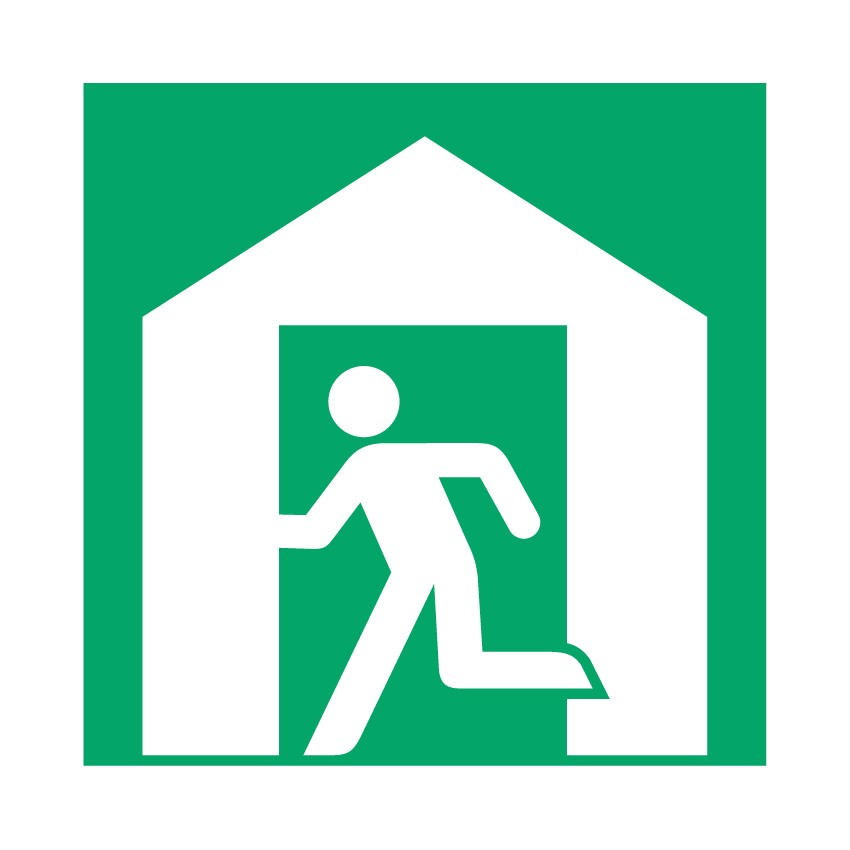
Places to which people can escape from danger, such as large parks, squares, and universities. - Temporary accommodation facilities (一時滞在施設)
Places where people who are outside (for example while shopping) at the time of the disaster and cannot return home can stay for up to three days. These include facilities run by the Tokyo Metropolitan Government. - Water supply bases (給水拠点)

Places where water is provided to people when the water supply is off due to a disaster. - Medical institutions (医療機関)

Hospitals etc. - Support stations for people attempting to return home during a disaster/Disaster support stations
(災害時帰宅支援ステーション、災害時サポートステーション)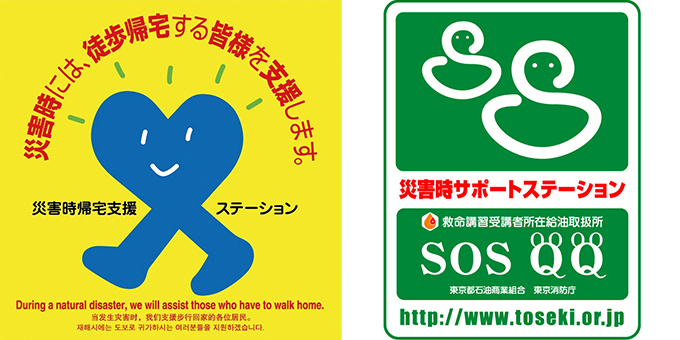
Places where people can have access to tap water, toilets, and radio and TV information, such as convenience stores, fast food outlets, family restaurants, and gas stations.
How to use the Tokyo Disaster Prevention Map ① When searching disaster prevention facilities
- Open the Tokyo Disaster Prevention Map website.
■ Tokyo Disaster Prevention Map (Disaster Prevention Division, Bureau of General Affairs, Tokyo Metropolitan Government)
https://map.bosai.metro.tokyo.lg.jp/ (Machine translation available into English, Chinese, and Korean) - Get to where you are right now or where you want to see on the map.
● To get to where you are right now on the map.
・Tap Permit for location access.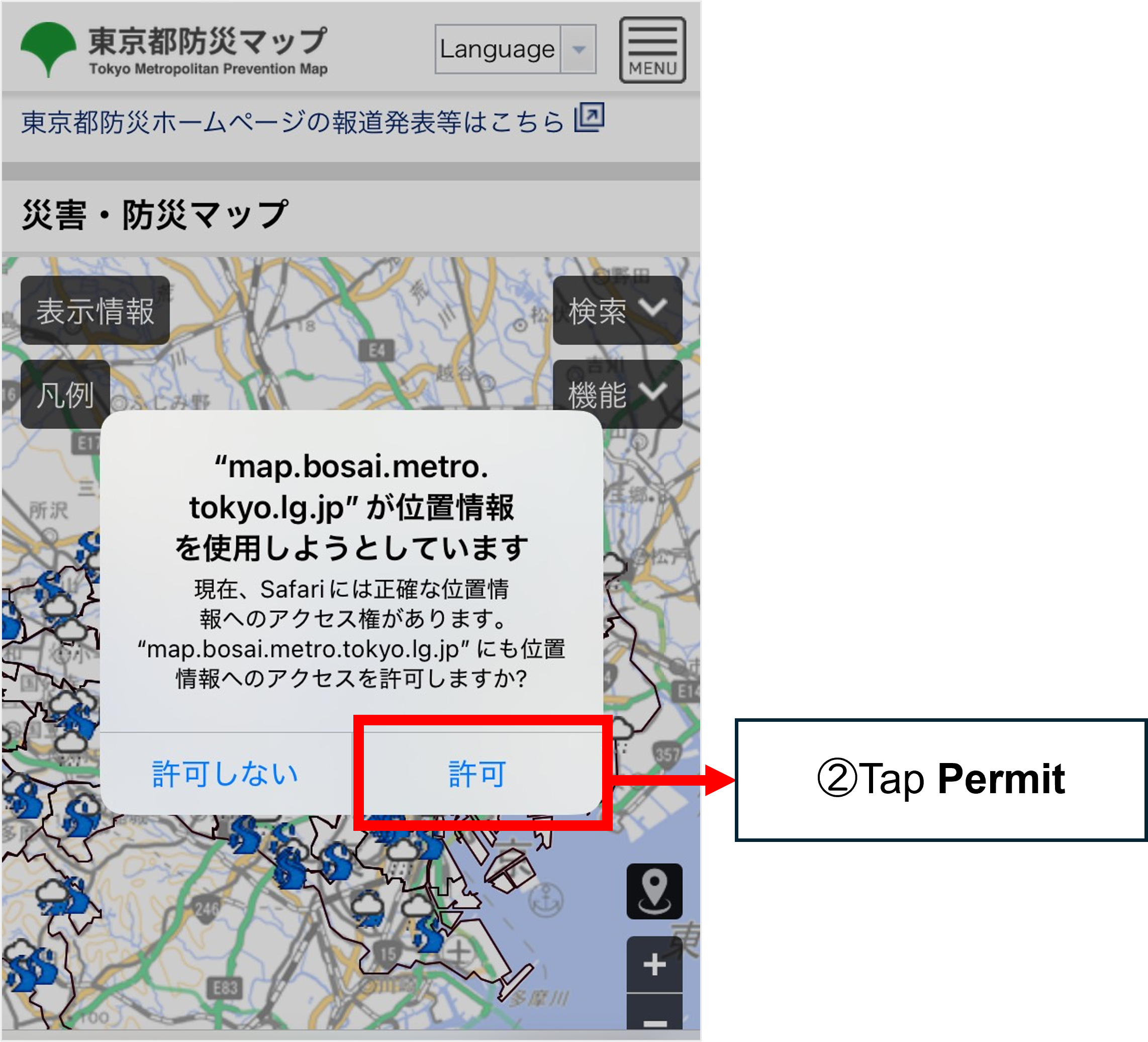
・Tap “Show current location.”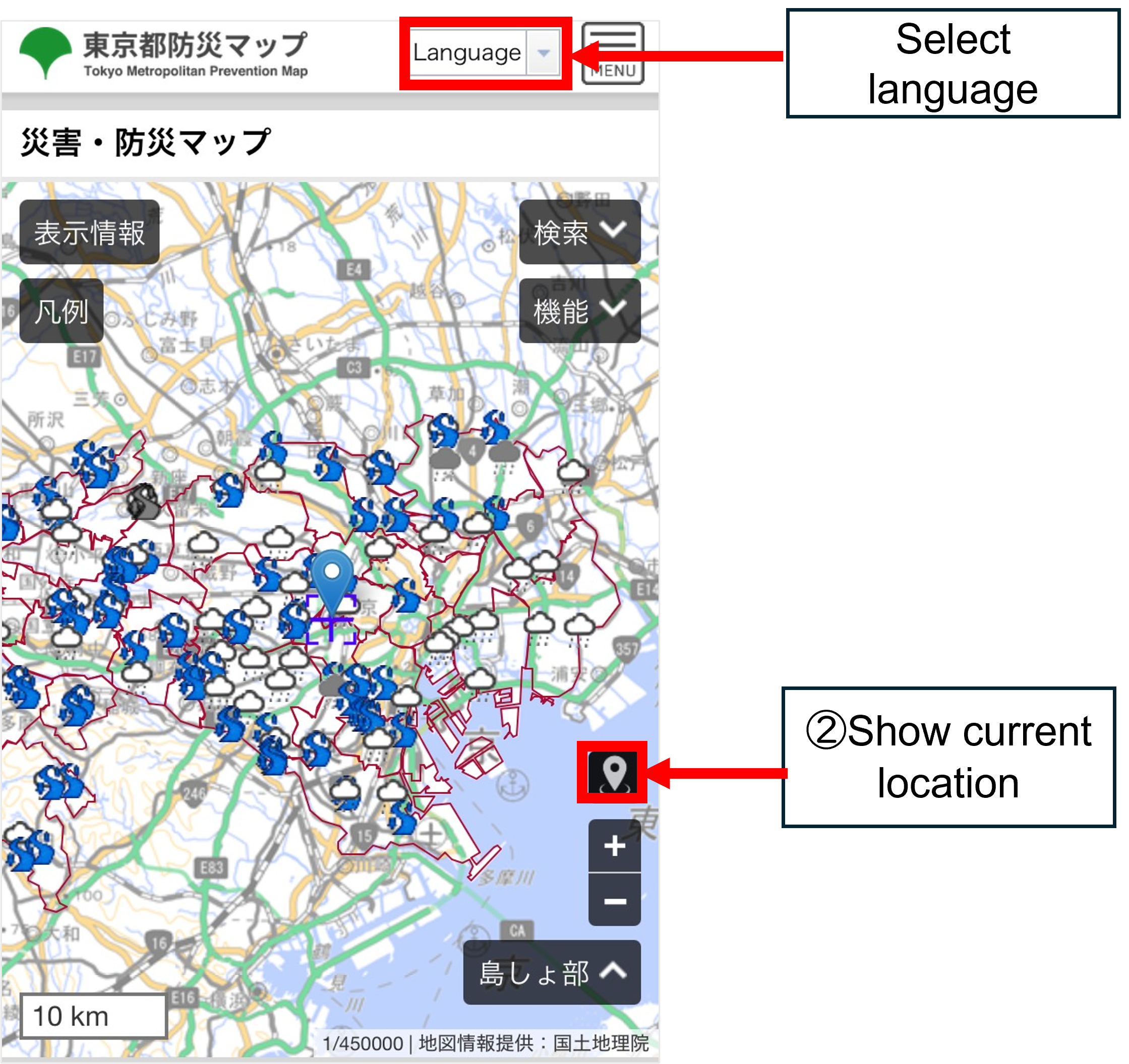
・To get to the place you want to see on the map → Tap the area where you want to see on the map. - Tap the plus symbol (+) to zoom in on the map.
・To zoom to the locations of disaster prevention facilities (shelter/evacuation shelter/temporary accommodation facility/water supply base/medical institution): 1 km
・To zoom to the locations of support stations for people attempting to return home during a disaster: 300 m–100 m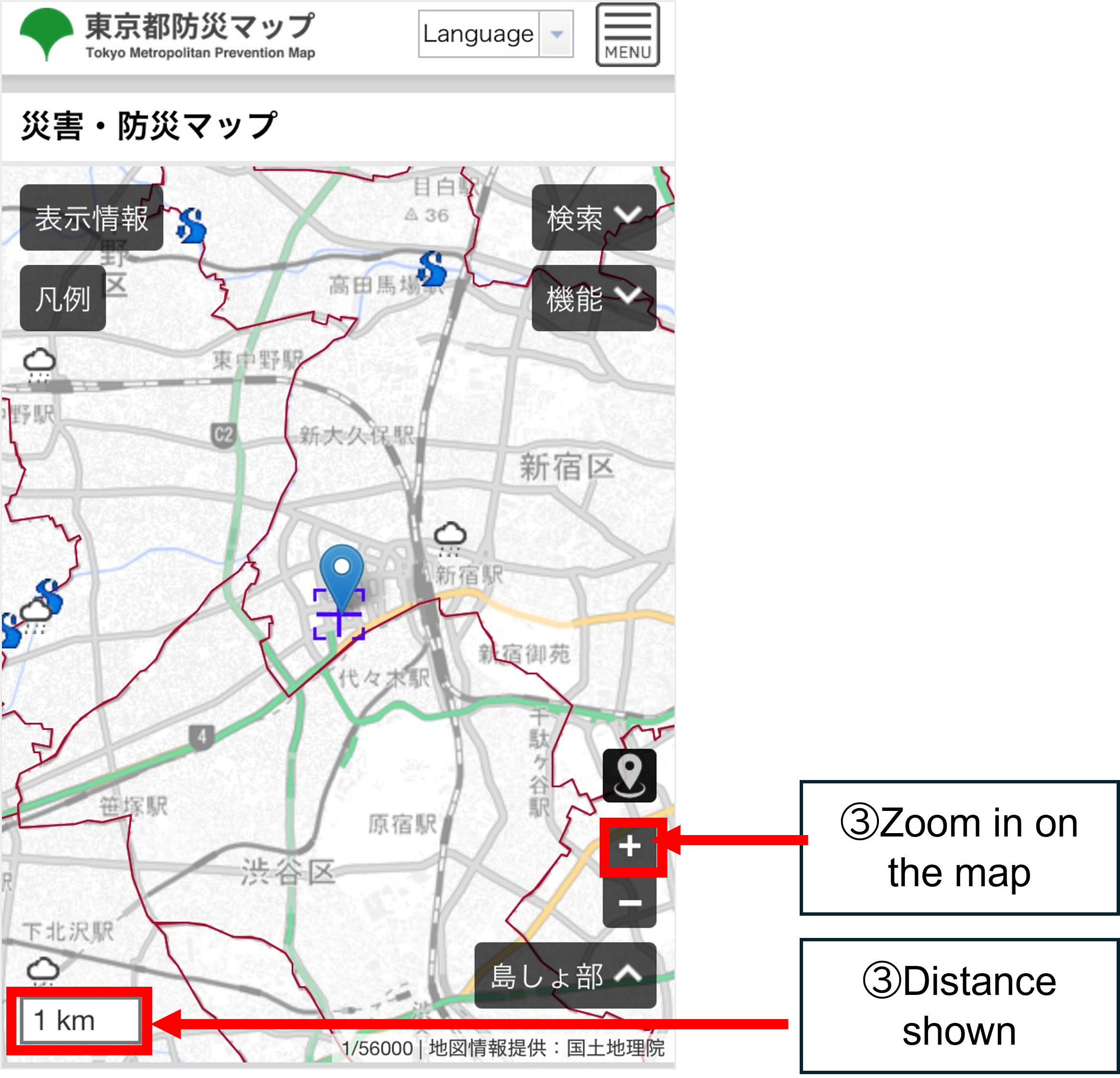
- Tap Display information.
→ Select the facility types you want to check.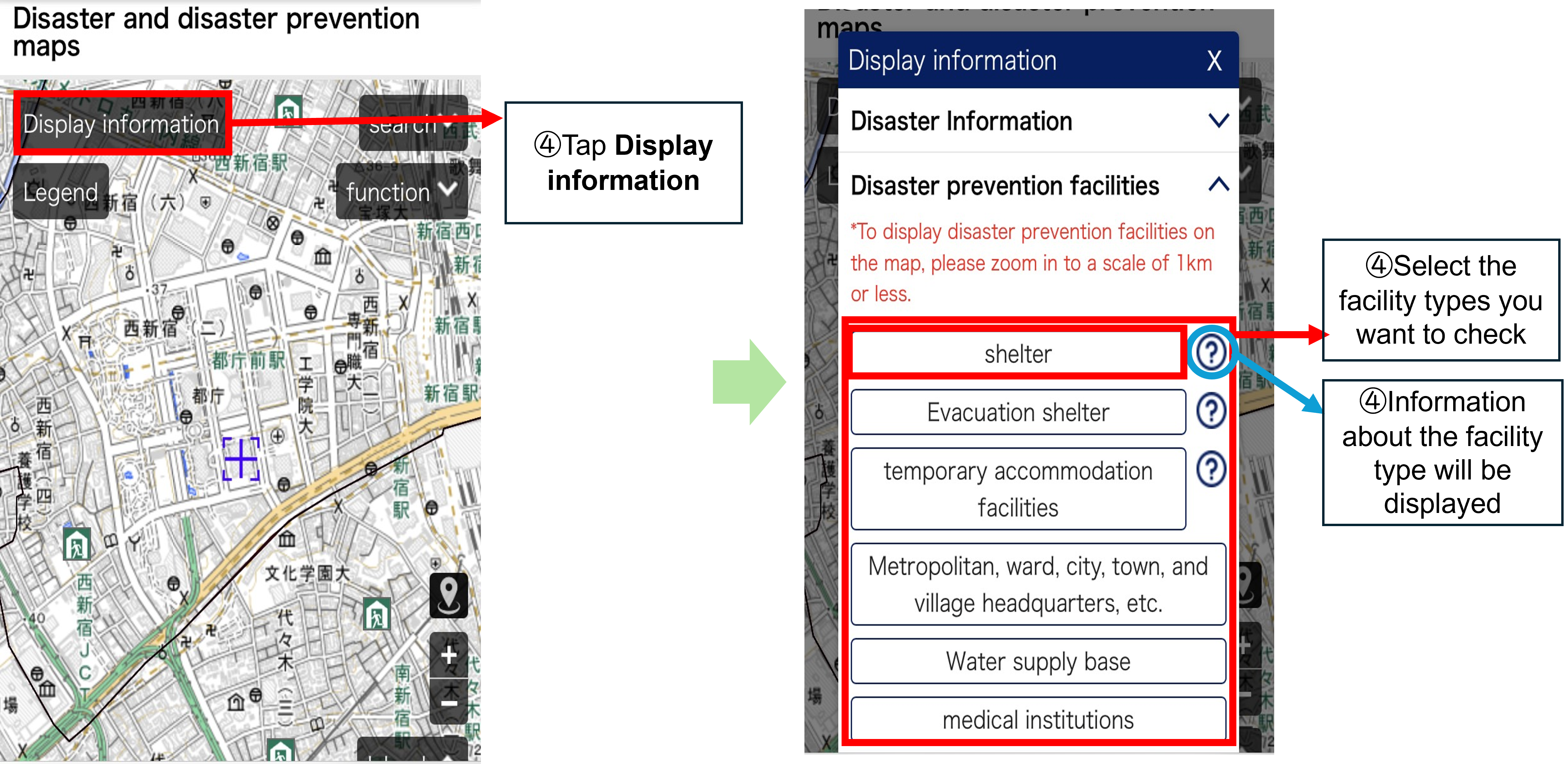
- Marks (small pictures) appear on the map.
→ Tap on a mark, and the name of the facility/location and information about it will be displayed.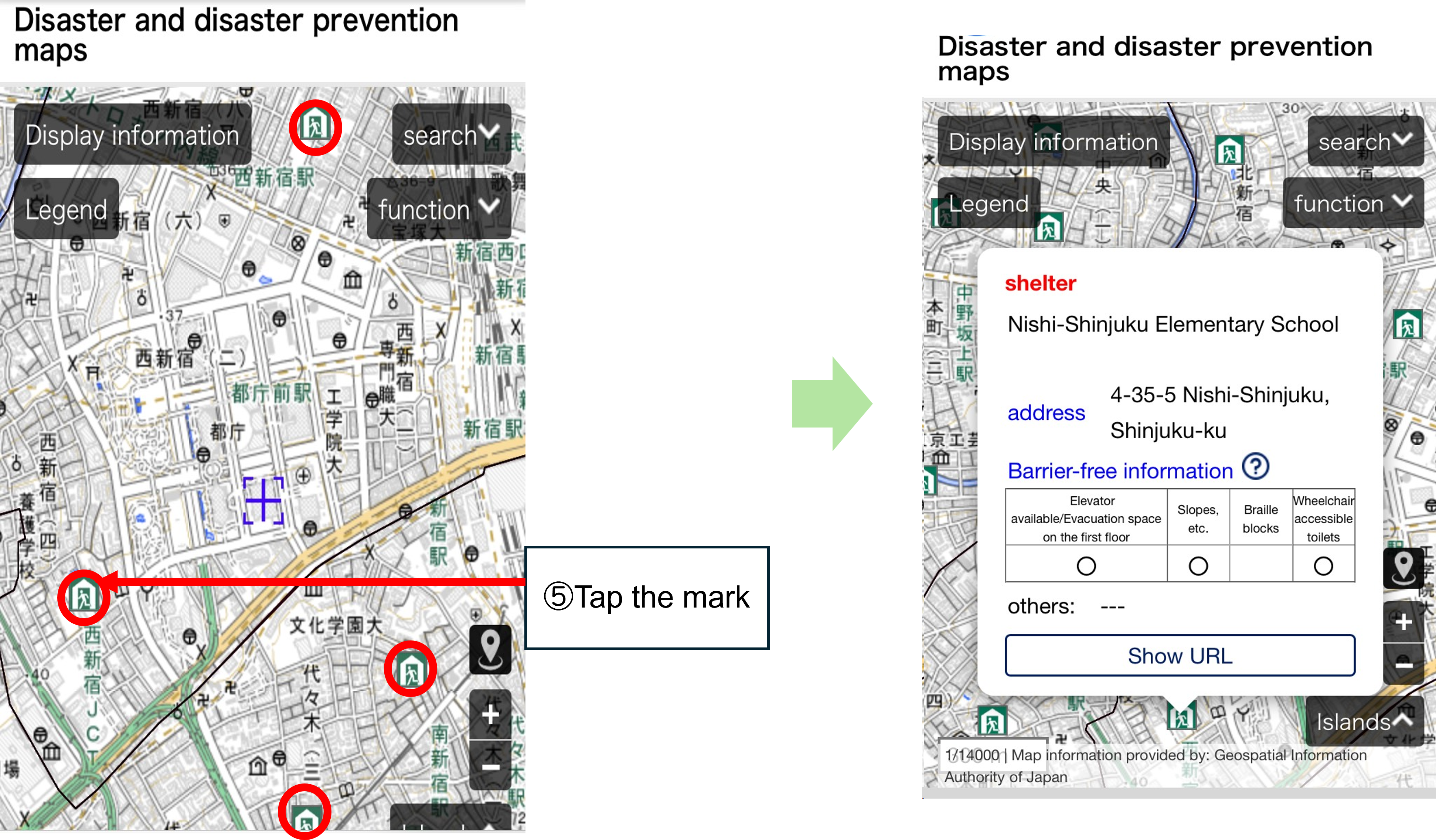
- Check what the mark represents.
Tap Legend. → Information about the facility types selected in Display information will be displayed.
You can tell the state of each shelter/temporary accommodation facility by their mark.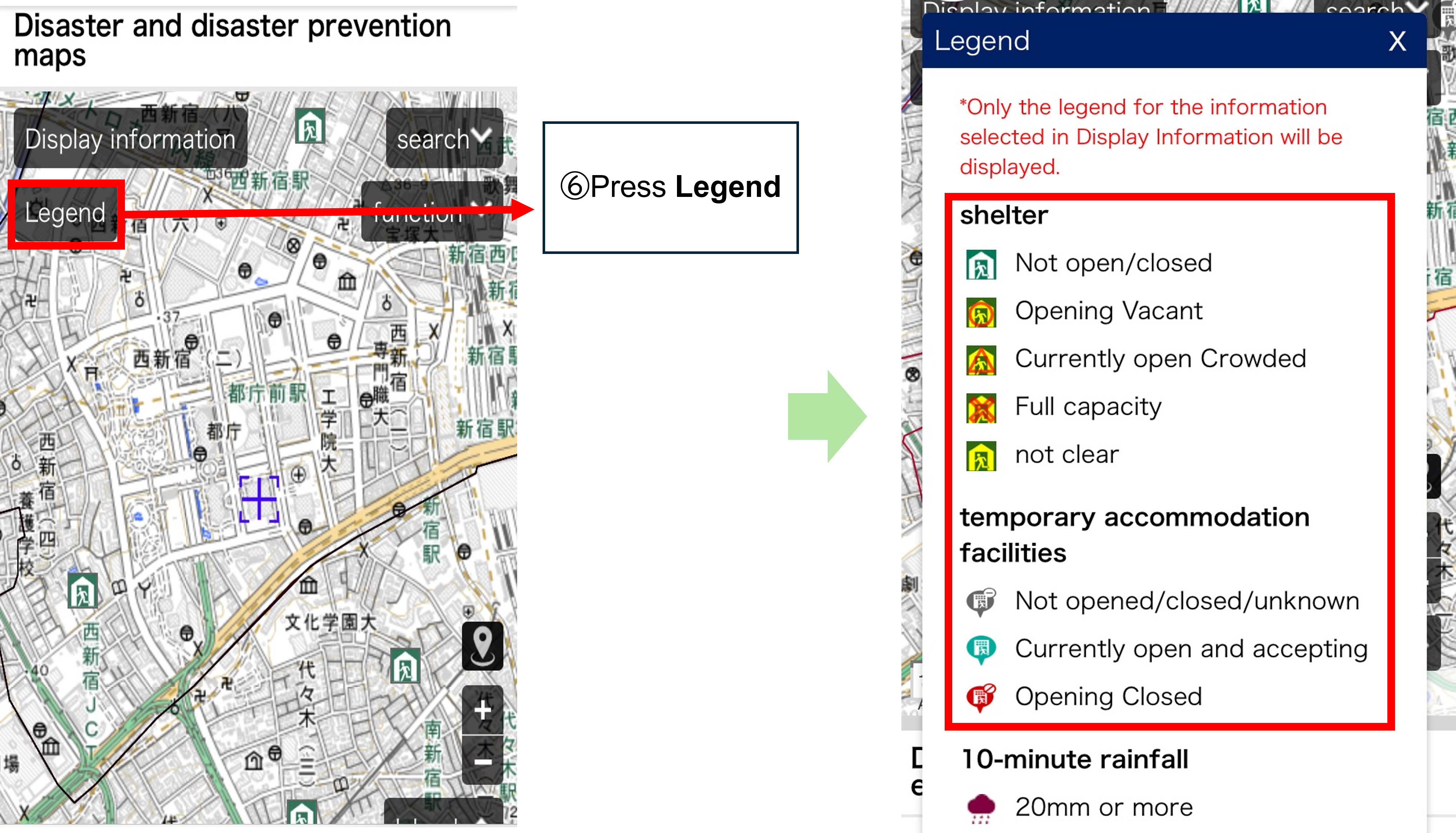
- Shelter
| Not open/closed | It is not yet open/is closed. |
|---|---|
| Opening Vacant | It is open and is vacant. |
| Currently open Crowded | It is open but is crowded. |
| Full capacity | It is fully occupied and can no longer accommodate people. |
| Not clear | No information about it. |
- Temporary accommodation facility
| Not opened / closed / unknown | Not yet open/Closed/No information about it |
|---|---|
| Currently open and accepting | It is open and is ready to accommodate evacuees. |
| Opening Closed | It is open but is fully occupied and can no longer accommodate evacuees. |